FTDX1200 Operating Manual Page 75

TRANSMITTER CONVENIENCE FEATURES Cont'd

Previous Page    Index of Topics    Table of Contents    Index of Pages    Next Page

SPLIT OPERATION USING THE TX CLARIFIER

For split TX/RX operation in "casual" pile-ups, where the split is less than 10 kHz, the TX Clarifier (Offset Tuning) feature may be utilized.

    1. Press the [TX CLAR] button. The "TX" icon will appear in the TFT display.

QUICK POINT:
The Clarifier is frequently used for receiver offset tuning. However, for DX pile-ups where the DX station isusing a split of less than 10 kHz, the TX Clarifier function is usually the quickest way to set the transmitter to the desired offset frequency.
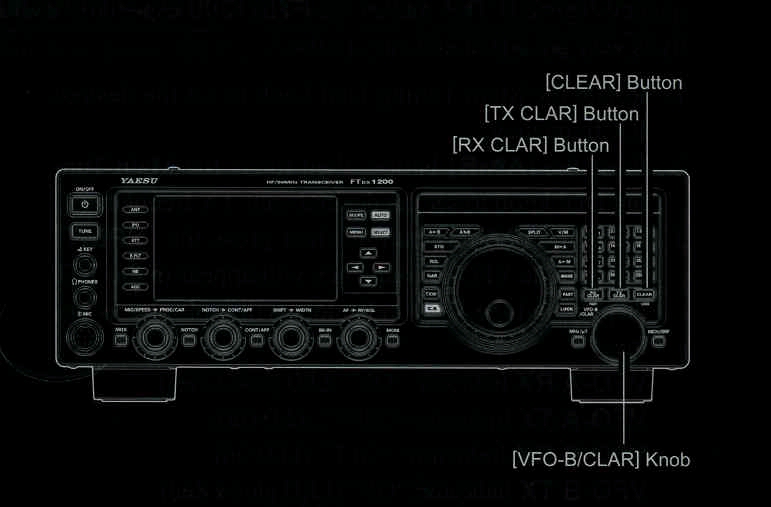
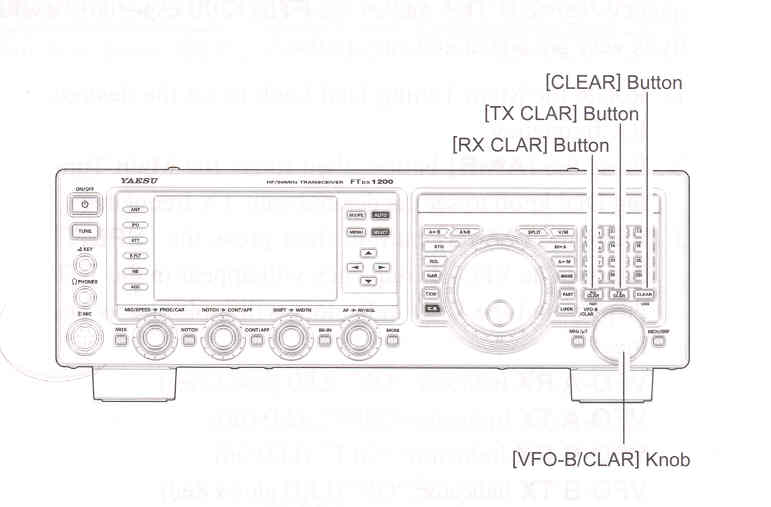
    2. Rotate the [VFO-B/CLAR] knob to set the desired transmitter offset. A maximum split of +/- 9.999 kHz may be set.

    3. To exit from TX Clarifier operation, press the [TX CLAR] button once more. The "TX" icon will disappear from the display.

ADVICE:

When listening to a "pile-up" calling a DX station, in order to find the staion currently being worked, you may press the [RX CLAR] button. Then, use the [VFO-CLAR] knob to zero in on the station calling the DX (use the SPOT function on CW for precise alignment of your frequency). You may then press the [RX CLAR] button again to cancel the RX Clarifier, and return to reception on the DX station's frequency.

Just as with receiver Clarifier operation, the amount of offset from the original VFO frequency will appear in the display.

As with receiver Clarifier operation, when you turn the TX Clarifier off, the last-used offset is remembered, and will be available if you turn the TX Clarifier back on. To clear the Clarifier offset, press the [CLEAR] button.


QUICK POINTS:
When attempting to work a DX station on CW in a split frequency pile-up, remember that a large number of other stations may also be using Yaesu trnasceivers with capability similar to that of your FTDX1200. On the DX side of the pile-up, everyone calling precisely on the same CW frequency will sound like a single tone! So you may have more success if you use the RX Clarifier to find a hole in the pile-up, instead of trying to zero-beat the last station worked by the DX station


Clarifier Offset Indicator

A visual depiction of the relative offset of the Clarifier may be displayed, using the Tuning Offset Indicator.

    1. Press the [MENU] button to engage the Menu mode.

    2. Rotate the [VFO-B/CLAR] knob (or press the ▲ / ▼ button) to select Menu item "011 BAR DISPLAY SELECT".

    3. Press the [SELECT] button, then rotate the [VFO-B/CLAR] knob (or press the ▲ / ▼ button) to select "CLAR" from the available choices; the factory default is "CW TUNE".

    4. Press the [SELECT] button, then press the [MENU] button to save the new setting and exit to normal operation.


End of "Split Operation Using the TX Clarifier"

Cont'd Next Page "Transmitter Convenience Features"

Previous Page    Index of Topics    Table of Contents    Back to Top    Index of Pages    Next Page

FTDX1200 Operating Manual Page 75